
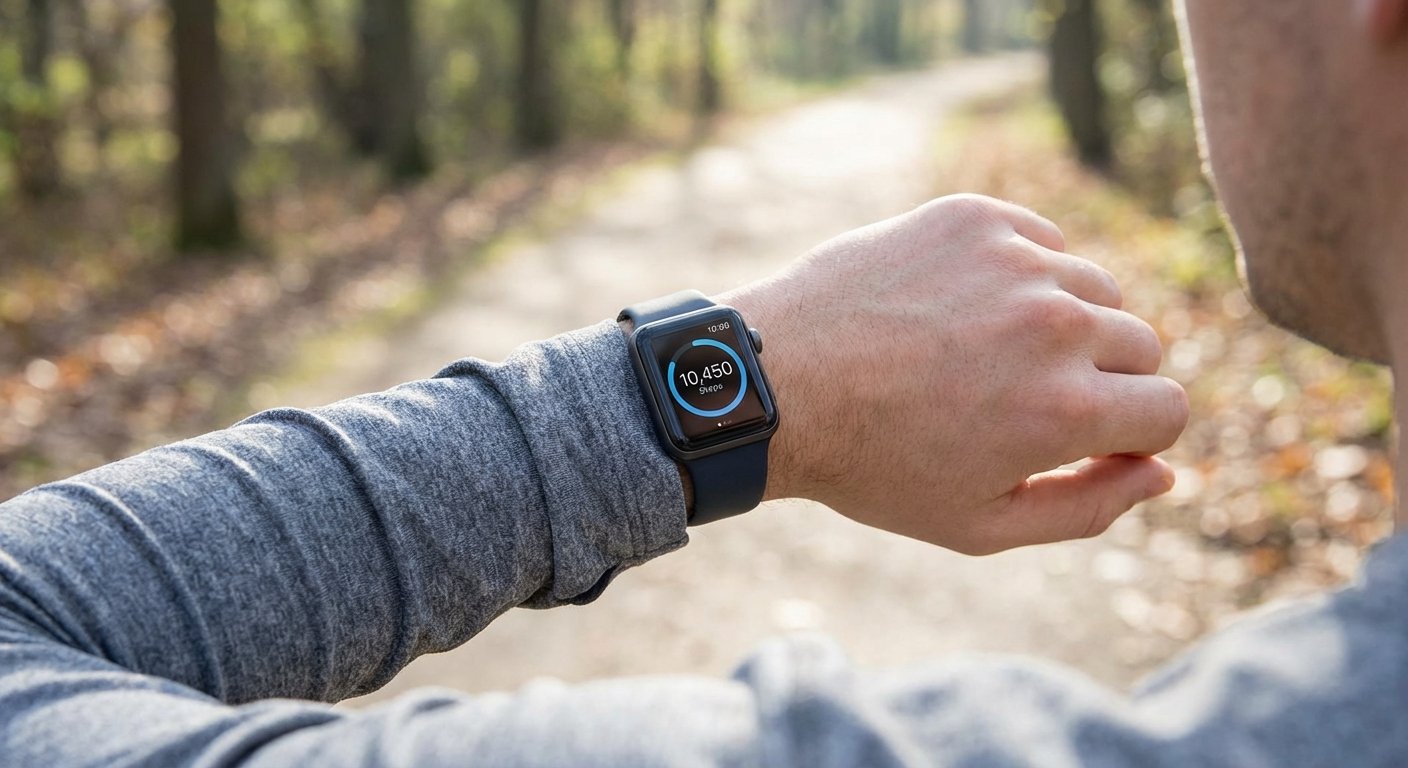
Your Apple Watch counts every step you take. It has been doing that since the moment you put it on. The problem is that Apple doesn't make it easy to find.
Open your watch face. You'll see three rings: Move (calories), Exercise (minutes), Stand (hours). No steps. Scroll through the complications. No steps there either. Apple built one of the most accurate step-tracking devices ever made[1] and then buried the step count three screens deep inside an app.
If you've been wondering where your steps went, you're not alone. Multiple Apple Community threads with hundreds of replies are full of people asking the same question[2]. One user was told by Apple Support that "the Apple Watch is not or ever will be a pedometer."
It is, though. A very good one. You just need to know where to look.
How Apple Watch tracks your steps
Your Apple Watch uses a 3-axis accelerometer and a gyroscope to detect movement[3]. It doesn't count individual footfalls. Instead, it reads the rhythmic swing of your wrist and estimates how many steps that pattern represents.
This is why accuracy drops when your wrist isn't moving naturally. Pushing a stroller, gripping a shopping trolley, carrying grocery bags, walking a dog on a tight leash. If your arm isn't swinging, the watch can't pick up the pattern[4].
When your arm is free, accuracy is strong. A 2025 systematic review in npj Digital Medicine found a mean absolute error of about 8% for step counts across Apple Watch models[1]. Most studies put it at 90-95% accurate at a normal walking pace.
The watch also calibrates itself over time. Walking or running outdoors with GPS helps it learn your stride length at different speeds[5]. If you've only had your watch a few days, a 20-minute outdoor walk will help it dial in.
How to see your step count on Apple Watch
Your steps are in the Activity app, just not where you'd expect them.
- Press the Digital Crown to go to your app grid
- Tap the Activity app (the one with the coloured rings)
- Scroll down past the three rings
- Your Steps, Distance, and Flights Climbed are on the screen below the rings
That's it. No setting to enable. No feature to unlock. They're just buried below the fold.
You can also ask Siri: "How many steps have I taken today?" This works on the watch or on your iPhone and gives you the number instantly.
How to put steps on your watch face
This is where Apple gets frustrating. There is no native step count complication. The Activity complication only shows rings. If you want steps on your watch face, you need a third-party app.
Three free options that work well:
| App | What it shows | Best for |
|---|---|---|
| Pedometer++ | Step count, progress ring, distance, floors | Most people. Free, reliable, multiple complication styles[6] |
| Duffy | Large step count, weekly history | Anyone who wants the simplest possible setup. Free, open source, no ads[7] |
| StepsApp | Steps, distance, calories, badges | People who want a richer tracking experience. Free tier with premium option[8] |
To add one to your watch face:
- Download the app on your iPhone (it installs on the watch automatically)
- Open the app on your watch once so it can access Health data
- Long-press your watch face and tap Edit
- Swipe to the complications screen
- Tap the slot where you want steps, then scroll to the app and pick a complication style
Which watch face works best? Modular and Infograph give you the biggest complications. Infograph Modular has a large centre slot that's perfect for a step count with a progress ring.
One thing to know: third-party complications don't always update in real time. You might see a slight lag, especially if you haven't opened the app recently. Opening it once refreshes the data.
How to view steps in the Health app on iPhone
The Health app on your iPhone stores all your step data in daily, weekly, monthly, and yearly views. To find it:
- Open Health
- Tap the Summary tab
- Look for Steps under Favourites. If it's not there, tap Edit and add it
- Tap into Steps for the full breakdown
One thing that catches people out: the Weekly view shows your daily average, not your weekly total. Same for Monthly and Yearly. If you walked 42,000 steps this week, the weekly view will show "6,000/day" rather than 42,000.
Why your iPhone and Apple Watch show different step counts
Your iPhone has its own accelerometer and counts steps independently. When both devices are tracking, Apple Health uses a priority system to avoid double counting[9]. By default, Apple Watch data takes precedence, but you can check this in Health > Profile picture > Devices > Data Sources & Access.
If the numbers still look odd, the most common fix is restarting both devices. Step data sometimes takes a few minutes to sync, especially after a workout.
Activity Rings vs. steps: why they don't match
This confuses more people than almost anything else about Apple Watch. You walked 10,000 steps but your Move ring is only half full. Or you closed all three rings without hitting your step goal. What gives?
The three rings measure different things from steps:
| Ring | What it measures | Relationship to steps |
|---|---|---|
| Move (red) | Active calories burned | Indirect. A slow 10,000-step walk burns fewer calories than a brisk 5,000-step run. Your Move goal is in calories, not steps. |
| Exercise (green) | Minutes of brisk activity | Partial. Only walking that Apple considers "brisk enough" counts. A gentle stroll may log steps but zero Exercise minutes. |
| Stand (blue) | Hours where you stood and moved for at least 1 minute | Minimal. You can close the Stand ring with very few steps. |
There is no direct conversion between steps and ring progress. It depends on your age, weight, walking speed, and how Apple's algorithm classifies your activity intensity.
This is a deliberate design choice. Apple believes calories and active minutes are better health indicators than raw step count[10]. That's debatable, but it explains why steps feel like an afterthought on the watch.
Troubleshooting: when steps aren't tracking
If your Apple Watch isn't counting steps at all, or the numbers look wrong, check these:
Steps not tracking at all
- Go to iPhone Settings > Privacy & Security > Motion & Fitness > make sure Fitness Tracking is on
- In the Watch app, go to Privacy > make sure Motion Calibration & Distance is on
- Restart both your watch and iPhone
Step count seems too low
- Make sure the watch fits snugly above your wrist bone (not loose, not too tight)
- Clean the sensors on the back of the watch
- Do a 20-minute calibration walk outdoors with GPS[5]
- Check your personal info (height, weight, stride length) in the Watch app under My Watch > Health
Steps not syncing to iPhone
- Open the Activity app on your watch (this triggers a sync)
- Restart both devices
- Check that both are on the same iCloud account
- As a last resort: Watch app > General > Reset > Reset Sync Data (this doesn't delete data, just forces a fresh sync)
Stroller/trolley problem
- Start an Outdoor Walk workout before pushing. This makes the watch use heart rate and GPS alongside the accelerometer, which improves counting when your wrist isn't swinging[11]
Tips for more accurate step tracking
- Wear it properly. Snug against your skin, one finger-width above the wrist bone
- Calibrate with an outdoor walk. 20 minutes at your natural pace with GPS on. Do this once and the watch remembers your stride
- Keep your personal data current. If your height or weight has changed, update it in the Watch app. This affects stride estimates
- Let your arm swing. Not always possible, but when it is, natural arm swing gives the accelerometer the clearest signal
- Start a Workout for tricky situations. Stroller walks, treadmill sessions, carrying shopping. The Workout mode uses additional sensors to improve accuracy
Beyond counting: making your steps mean something
Knowing your step count is useful. But a number on a screen is only motivating for so long. Most people check it for a few weeks, feel good about hitting 10,000 once or twice, then stop looking.
That 10,000 figure, by the way, came from a 1965 Japanese marketing campaign for a pedometer called the Manpo-kei (literally "10,000 steps meter")[12]. It was a round number that sounded good on packaging, not a scientific recommendation. Modern research suggests the biggest health benefits come from getting to around 7,000-8,000 steps per day, with diminishing returns above that[13].
What actually matters more than any specific number is consistency. Walking 6,000 steps every day for a year does more than walking 15,000 steps three times and then stopping. And consistency is exactly where raw step counting falls short. The number doesn't push you. It doesn't adjust when life gets hard. It doesn't care whether you showed up yesterday.
This is where Motion comes in. It connects to your Apple Watch through Apple Health, reads your step and activity data, and turns it into something you actually want to engage with.
Adaptive goals that learn your patterns. Instead of a fixed 10,000-step target, Motion analyses your 12-week activity history and sets goals in a sweet spot: challenging enough to push you, achievable enough not to demoralise you. If you travel, get ill, or have a rough week, they adjust down. If you're on a roll, they scale up.
Activity Battles with friends. Challenge someone to a week-long competition where you both compete on effort, not raw step count. A beginner walking 5,000 steps at 100% of their goal beats a runner logging 50,000 at 80%. It's the first time step tracking has been genuinely fair across fitness levels.
Fit Bingo quest boards with step, distance, and activity challenges that change every week. Solo Quest, Battle Quest, or Team-up Quest. Variable rewards and pattern completion give your steps structure and unpredictability.
A Motmot that grows when you move. A virtual companion whose wellbeing is tied to your activity. It levels up, evolves, and eventually gets released to a Sanctuary Garden where you can adopt a new one. It sounds small, but caring for something on the other end of your steps changes how walking feels.
Motion works with every major tracker, not just Apple Watch. If you have friends on Fitbit, Garmin, or Samsung, everyone can play together. And if you just want to know how many steps to aim for based on your current lifestyle, the Steps Goal Calculator can help.
Your Apple Watch is already counting. The question is what you do with the number.
Sources
- npj Digital Medicine — Apple Watch accuracy in monitoring health metrics: systematic review and meta-analysis
- Apple Community — Why no complication for steps?
- Apple Support — Track daily activity with Apple Watch
- Apple Community — Apple Watch not counting steps when pushing stroller
- Apple Support — Calibrate your Apple Watch for improved accuracy
- Pedometer++ — App Store
- Duffy — Steps Complication — App Store
- StepsApp Pedometer — App Store
- Apple Support — Manage Health data on your iPhone, iPad, or Apple Watch
- Cult of Mac — Apple Watch Activity Rings guide
- MacRumors Forums — Inaccurate activity while pushing stroller
- Harvard Health — 10,000 steps a day or fewer?
- Medical News Today — Average steps per day by age, sex, and occupation


